
Are you a creator that has been wanting to start your first blog, but the uncertainty of what it will take or what it will cost is holding you back from creating one? I get it, I have been there! I was a YouTuber for years before starting a blog, and even then when I did make my first official WordPress blog – I hired someone to do it for me! It was too daunting!
Some of the information below includes affiliate links. When you click these links I may make a commission from your purchase. As an Amazon Associate, I earn from qualifying purchases.
After learning WordPress for many years, I’m happy to say that those fears of whether or not it is too difficult to create your own blog as a beginner were unfounded. It actually is a lot easier than it seems! Now I create new blogs and build them up for fun, and to create new facets of my business to make new offers and connections.
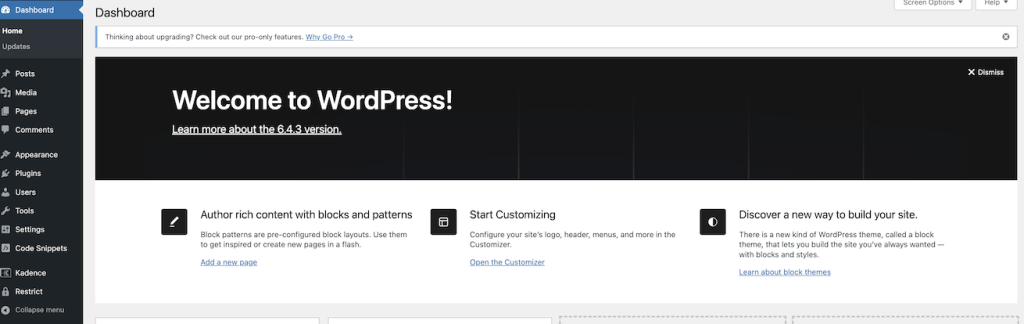
All this from someone that never thought they would be able to create their own WordPress blog, and now I make them for fun! (And business!) So if it is time for you to add a blog to your business offerings, check out my easy setup instructions below to get your blog up and going.
What You Will Need for Your Blog
Your blog is made of a few essential components, and we will be using WordPress blogs as our example – as they tend to be the standard in the blogging industry.
Those essential components are:
- Your URL – This is the address of your blog and what people use to find it. Check out some place like Name Cheap to reserve it.
- Your Hosting – This is where the information on your blog is saved. Shared hosting is the cheaper alternative when you are starting out.
- Adding WordPress.org to your blog – this can be done in your CPanel area of your hosting, we will walk through this below.
- Adding your theme after you have WordPress installed – there are tons of free themes you can use to get started.
How Much Will It Cost
You can start your blog for a fairly minimal cost, and if you’re already running your business elsewhere on social media – this cost is a basic business expense that I consider essential to my business to operate. That being said, you don’t need to break the bank to get started. Your essential startup costs should be as follows:
- Reserve your URL – Get your web address from a place like NameCheap.com or GoDaddy.com to reserve your URL. ($10-$20 per year)
- Web Hosting – Sign up for web hosting at Big Scoots, and get on the shared hosting plan (I like the 155cc plan) this is where the information for your blog will be stored. ($119.40 per year)
- Blog Graphics – I already had a Canva Pro account that I use in other areas of my business before using it for my blogs, but I highly recommend Canva to all content creators because they make it quick and easy to make your own graphics. You can start for free, but if you are interested in the Canva Pro account that is currently priced at $119 per year. (Free to $119 per year)
So as you can see from above, the total annual cost to have your blog can be under $150 a year. If you have multiple blogs on shared hosting, they can be on the same hosted server and this reduces the cost even more to have multiple blogs.
Step by Step Instructions to Setup Your Blog
Once you know that you want to setup your own blog, and you know all of the pieces you’ll need for your blog… you may be thinking “Now what?”… Here’s a step by step guide on how I quickly set up my new blogs:
- Reserve your URL at NameCheap.com
- Sign up for Web Hosting at BigScoots.com
- Then you’ll need to connect your URL with your hosting, you can do this in CPanel. Big Scoots has easy instructions on their site, or you can always call them for assistance as well.
- After you have your URL and hosting connected, you’ll want to add WordPress.org to your site. Make sure it is the “.Org” version. (This is the original version that should be free as well.)
- Now that you have your blog up and going, you’ll want to install a theme inside of WordPress. I use variations of the “Kadence” theme for most of my blogs. It is quick and easy to get your blog started with one of these free themes. (Themes are in the APPEARANCE and then THEMES area of your backend.)
- After you’ve got your theme installed, it is time to start setting up the blog how you want it to look. In your blog backend, head to “Customize“.
- Upload a “Site Icon” (600×600) in the “Customize” then “Site Identity” area. This will be the small icon that appears on browsers when people are on your site.
- While still in the Customize section, you can change the way your font page looks, set your site theme colors, change fonts, and more.
- Before starting to post, I recommend going to the “Settings” and then “Permalinks” area of the backend, and setting your links to “POST NAME” as the default. I also prefer that dates are not posted on my blogs.
- Now it is time to start writing your blogs!
After Your Blog is Setup
This is where the real fun begins! As a YouTuber, I didn’t honestly pay too much attention to my blog and mainly used it to direct people back to my YouTube videos. When I started focusing on my blog, I realized there was a whole world of options and new revenue streams out there. That weren’t previously available to me as a content creator that had solely been focusing on only social media.
Now as a more holistic content creator, I use my Evergreen Income System to create content loops that drives an aligned audience to my content and creates passive sources of revenue. After being on the hamster wheel of constant creation for years, I was delighted to find out that there were actually ways to automate my content and get it directed to the best audience possible using an evergreen system.
Typically it is recommended to get your Disclosure and Privacy Policy pages setup before you start adding content. There are a number of templates of these available for free on the internet.
Start with Blog Posts
Now that your blog is setup, you need to get some blog content on there! There are many ways to optimize your content, and while I don’t believe in solely focusing on SEO as your singular strategy, it is worth learning more about search engine optimization (SEO) if you haven’t previously used it. It is one of 3 main ways to drive traffic to your content.
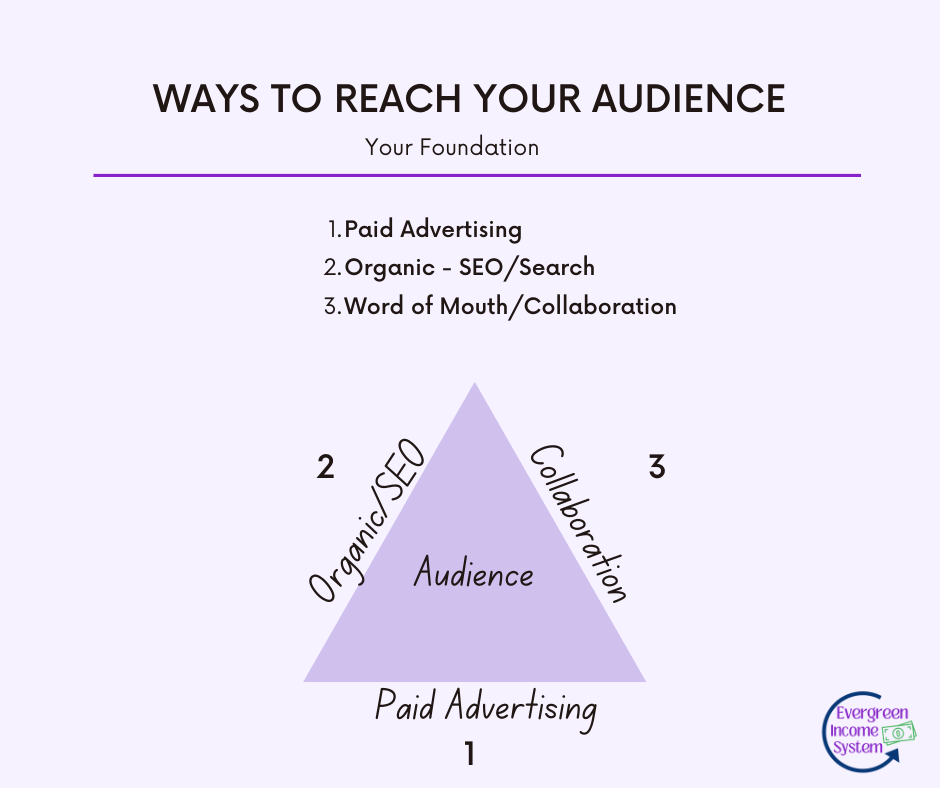
I dive into these three main ways of connecting with your audience in the Evergreen Income System program.
When you start posting, you want to create content that answers a question or issue for your audience. Create content that is engaging and also informative. Some of my best performing posts have answered questions for my audience that connects them with solutions to their issues.
To start out, these are some great benchmarks to get you started:
- Narrow in on your knowledge topic that you want to write about and research affiliate programs that compliment it.
- Write a list of 50 blog topic ideas you can research.
- Create at least 10 blog posts to publish on your blog.
- I recommend using Flodesk as your email service, and I could start collecting email addresses right from the beginning!
After you begin writing your content, you’ll start to recognize what types of content to write more of depending on what your audience reacts the best to and which pieces of content are the most impactful. There are a number of tools you can use to help get you started and build your strategy!
Strategy Tools to Use for Blogging
There are a number of tools that I love to use to help run my blog, and they have been immensely helpful in being able to run multiple blogs as well too.
RankIQ for Keyword Research
RankIQ is one of the tools that I started using when I started focusing on blogging more, and it is incredibly helpful to begin your keyword research or hone in on the specific wording your audience is using when they search.
You start by searching in the keyword library for phrases or words that are related to the topic that you’re wanting to write about. For instance, if we are wanting to write about something relating to cat treats, I would search “cat treats” in the keyword library to see what variations RankIQ suggests you could rank for.
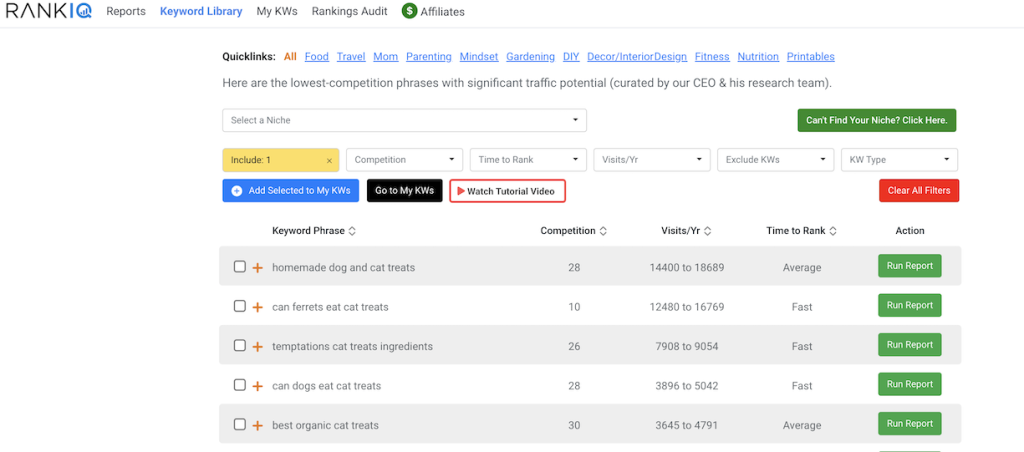
Here you can see the different topics and sort through them by competition score, how many searches are preferred for this keyword, or how long RankIQ estimates it will take you to rank based on their metrics. If one of these keywords works, you then “Run Report” and this will give you a report to dive into and start looking at the important keywords for your topic.
I use the RankIQ SEO Report to help craft my blog titles and the keyword list also helps me assess if I’ve left out any important keywords. You’re even able to write right in the Content Optimizer and see what keywords you’ve used, which ones still need to be used, and a score that RankIQ gives you on the content you’ve written so far.
Koala AI for Outlines
I write for a number of different websites on a number of different topics, all of which I have some background experience or knowledge about, which I really think is key to succeeding with blogging. However to keep up the pace of maintaining multiple sites, I have leaned into the tools that are available like AI to help create an efficient system for writing and publishing content.
All of the content that I put I out, I have written myself, however tools like RankIQ and KoalaAI help give direction as to making sure I’m answering all of the different questions that my audience may have and also making sure that I’m phrasing things in a manner that the audience is going to understand. (And be searching for!)
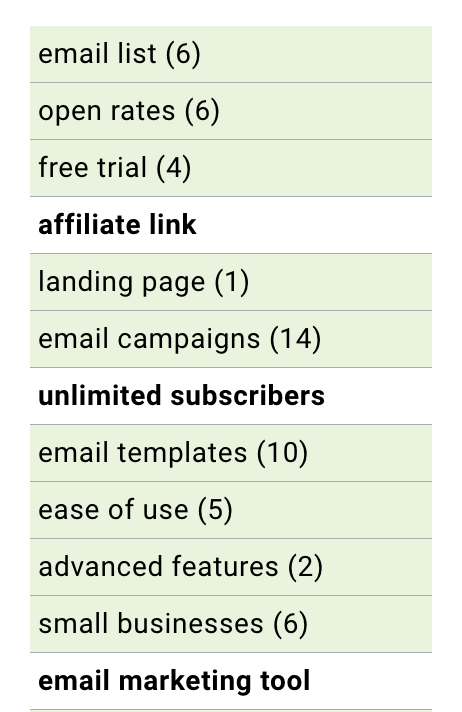
Koala AI is a great tool to use, for creating outlines for your blog and using as a basis to begin your writing. To be clear, you shouldn’t just post up directly what any AI tool has written for you, but they absolutely can be a great way to both get a foundation to your writing that you then edit and put your own spin onto it into action. They also are a great way to crowdsource the internet, but using a chat service like what is built into Koala AI or ChatGPT to ask questions like:
- I’m writing about xyz, what questions would my audience have about this topic?
- What are the most commonly asked questions about xyz topic?
- For an audience that is interested in xyz topic, what would they be most likely to search about regarding this topic?
FloDesk for Emails
Automations are one of my favorite thing in content creation and they are what I teach in the Evergreen Income System. Automating my emails using the program FloDesk has been an amazing way to stay on top of my email creation and management. It has also just made it more fun!
I recommend you begin building your email list straight away, and although FloDesk does have a cost associated with it ($35 per month) – I find it to be a highly effective tool in my tool box. With its beautiful designs and easy workflow creation, this is one tool that I would say is a must have to level up your business fairly early on.
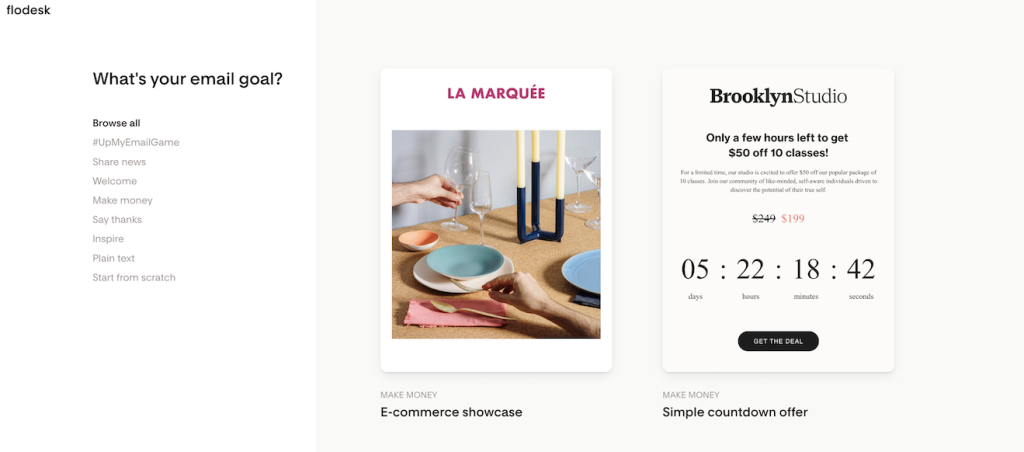
To get started quickly, create a “Ribbon style” form to collect email addresses and make a reusable block on your blog to insert into blog posts. (Hint: Look at the bottom of this post for an example!) This will allow you to collect emails to connect with your audience right from the very beginning stages of your blog.
Just Keep Creating
After you have a solid base of content in place, just keep at it! You can use the Evergreen Income System to begin making money from affiliate marketing fairly immediately, however remember that building your audience through search and collaboration both take time to grow your audience.

If you’re looking for more information on building your business, check out my Evergreen Learning Ideas store for all of my products to help you build your business!